


Varex
Innovation
The Innovation space is a place where Varex Imaging introduces and explores future generation X-ray imaging products, concepts and technologies.

Medical &
Veterinary
We partner with medical, dental, and veterinary OEMs to bring their products to market faster with our imaging components and technology.

Security & Industrial
We partner with many system integrators in the industrial, cargo security, and airport security industries to provide key imaging components.
Investors
Varex Imaging Corporation upholds a set of basic beliefs to guide its actions, including the belief that business should be conducted with integrity and consistent with the highest standards of ethical behavior.


About Us
Varex Imaging Corporation is a leading independent supplier of medical X-ray tubes and image processing solutions.
Our components are used by X-ray imaging system manufacturers around the globe to detect, diagnose, and protect.
News

VAREX ANNOUNCES CLOSING OF REVOLVING CREDIT FACILITY OF $155 MILLION
Varex Imaging Corporation (Nasdaq: VREX) today announced it has entered into a senior secured revolving credit agreement (the “RLOC Facility”) for an initial aggregate principal amount of up to $155 million.
VAREX TO PRESENT AT OPPENHEIMER 34TH ANNUAL HEALTHCARE MEDTECH & SERVICES VIRTUAL CONFERENCE
Varex Imaging Corporation (Nasdaq: VREX) announced today that management is scheduled to present at the Oppenheimer 34th Annual Healthcare MedTech & Services Virtual Conference.

VAREX ANNOUNCES FINANCIAL RESULTS FOR FIRST QUARTER FISCAL YEAR 2024
Varex Imaging Corporation (Nasdaq: VREX) today announced its unaudited financial results for the first quarter of fiscal year 2024.

VAREX SCHEDULES FIRST QUARTER FISCAL YEAR 2024 EARNINGS RELEASE AND CONFERENCE CALL
Varex Imaging Corporation (Nasdaq: VREX) today announced that it will report unaudited financial results for the fourth quarter and full fiscal year 2023 following the close of regular trading on Tuesday, November 14, 2023.

Varex Imaging to Present at the 6th Annual Evercore ISI HealthCONx Conference
Varex Imaging Corporation (Nasdaq: VREX) announced today that management is scheduled to present at the 6th Annual Evercore ISI HealthCONx Conference.

VAREX ANNOUNCES FINANCIAL RESULTS FOR FOURTH QUARTER AND FISCAL YEAR 2023
Varex Imaging Corporation (Nasdaq: VREX) today announced its unaudited financial results for the fourth quarter of fiscal year 2023.

VAREX SCHEDULES FOURTH QUARTER AND FISCAL YEAR 2023 EARNINGS RELEASE AND CONFERENCE CALL
Varex Imaging Corporation (Nasdaq: VREX) today announced that it will report unaudited financial results for the fourth quarter and full fiscal year 2023 following the close of regular trading on Tuesday, November 14, 2023.


VAREX ANNOUNCES FINANCIAL RESULTS FOR THIRD QUARTER FISCAL YEAR 2023
Varex Imaging Corporation (Nasdaq: VREX) today announced its unaudited financial results for the third quarter of fiscal year 2023.

VAREX SCHEDULES THIRD QUARTER FISCAL YEAR 2023 EARNINGS RELEASE AND CONFERENCE CALL
Varex Imaging Corporation today announced that it will report unaudited financial results for the third quarter of fiscal year 2023 following the close of regular trading on Tuesday, August 1, 2023.

Varex Imaging Presentation at the Jefferies Healthcare Conference
Webcast and Calendar Reminder Links
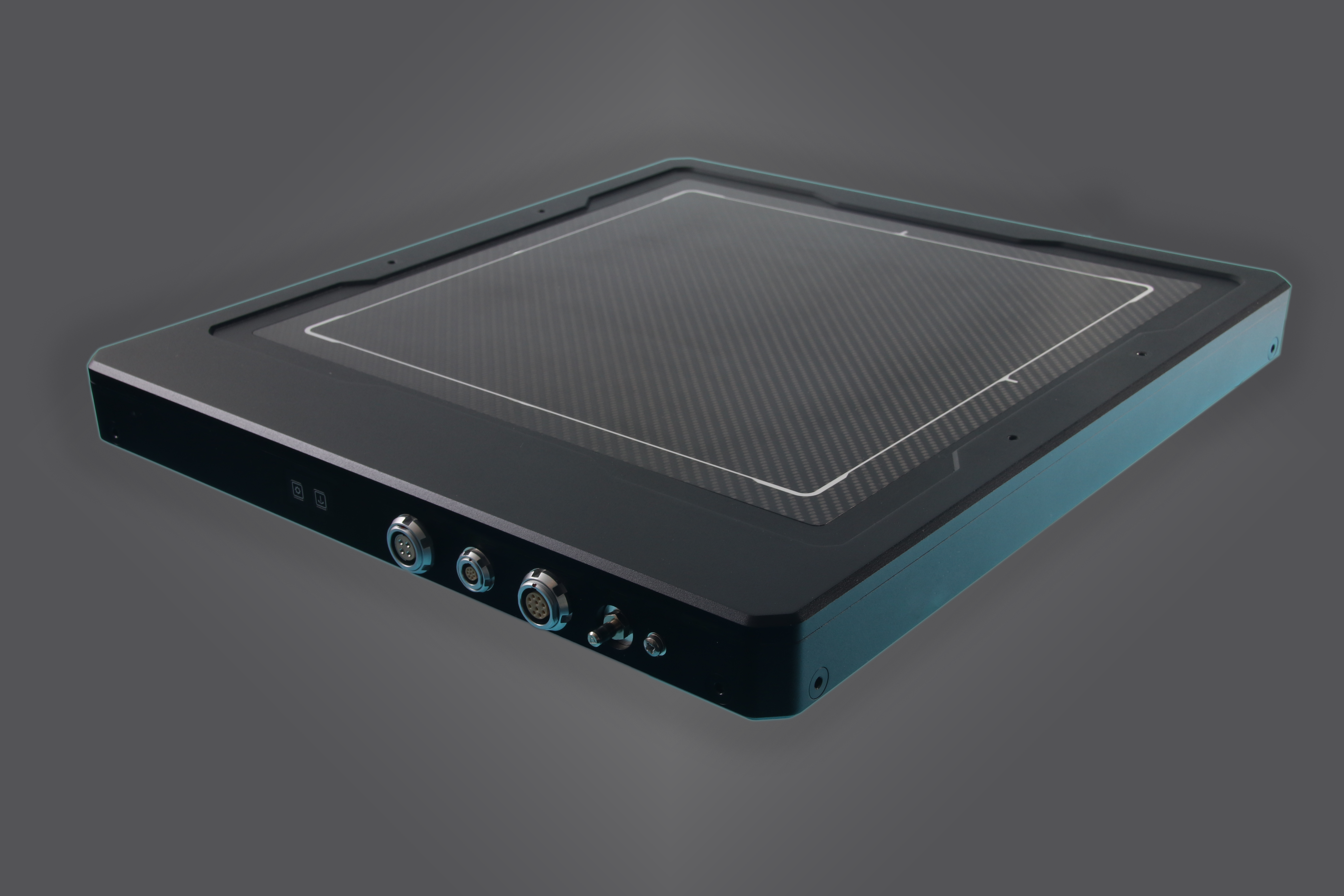
VAREX LAUNCHES XRD 3131N X-RAY DETECTOR FOR HIGH THROUGHPUT ELECTRIC VEHICLE BATTERY INSPECTION
Varex Imaging Corporation (Nasdaq: VREX) announced today the launch of its XRD 3131N digital X-ray detector, addressing the growing need for faster and more comprehensive inspection in high-paced Electric Vehicle (EV) battery manufacturing, strengthening our current portfolio for the EV battery inspection market.
Contact Us
To receive additional product or service information, please fill in the product inquiry form.